SQLite is a relational database management system (RDBMS). It uses the same relational model that other popular DBMSs (such as MySQL, Oracle, SQL Server, MS Access) use.
SQLite supports relationships just like any other relational database management system. We can create multiple tables, then have them linking to each other via a relationship.
A relationship is where we have multiple tables that contain related data, and the data is linked by a common value that is stored in both tables.
In SQLite, the relationship between two tables is primarily established and maintained through the use of foreign keys. A foreign key in one table (the child table) references the primary key of another table (the parent table). This creates a logical link between records in the two tables.
How Relationship Works:
Primary Key: The parent table contains a primary key, which uniquely identifies each record within that table.
Foreign Key: A column in a child table that references the primary key of a parent table. This link establishes the relationship.
Referential Integrity: The Foreign Key constraint ensures referential integrity, meaning that:
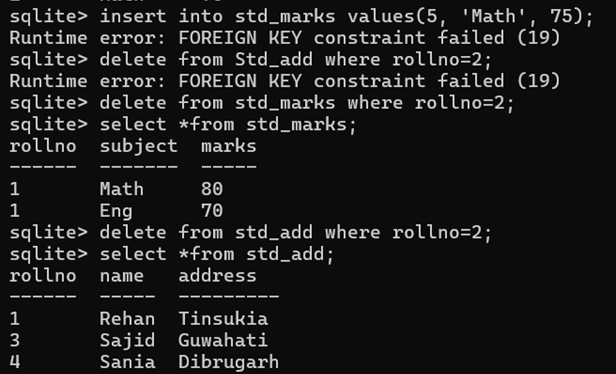
- We cannot add a record to the child table if its foreign key value does not exist in the parent table.
- We cannot delete a record from the parent table if there are related records in the child table (unless specific ON DELETE actions are defined, such as CASCADE or SET NULL).
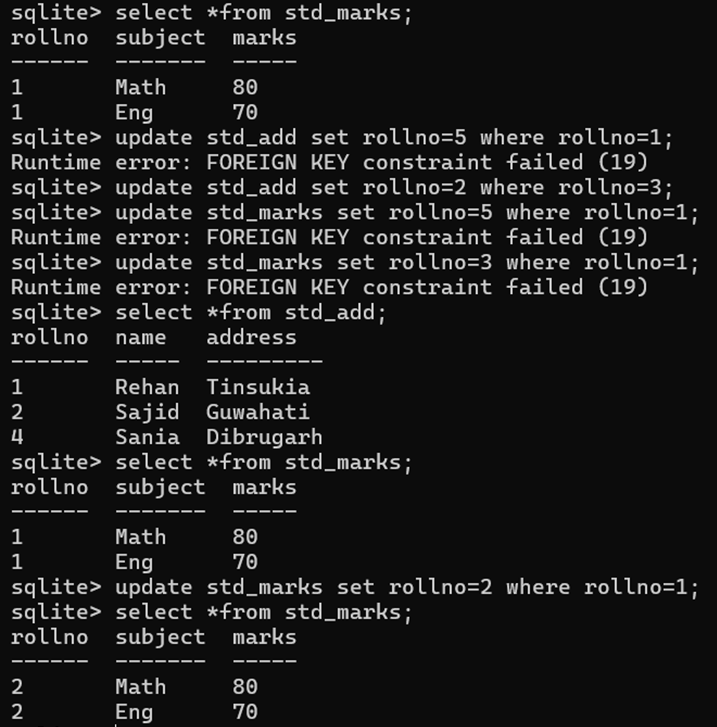
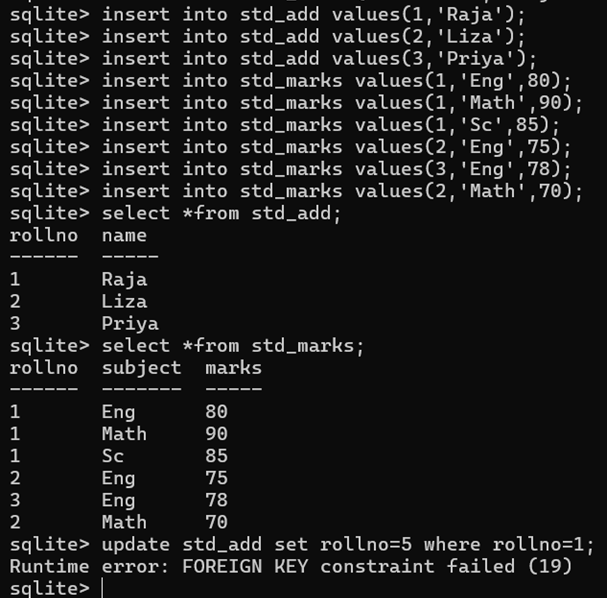
- We cannot update a primary key in the parent table if there are related records in the child table (unless ON UPDATE actions are defined).
Implementing Relationships
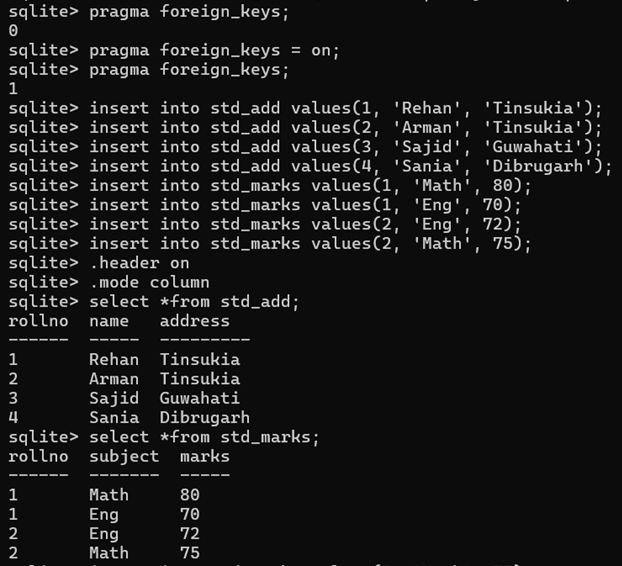
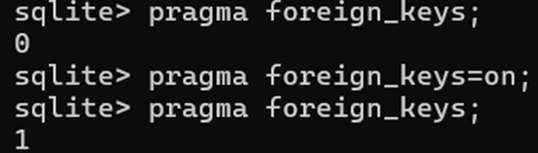
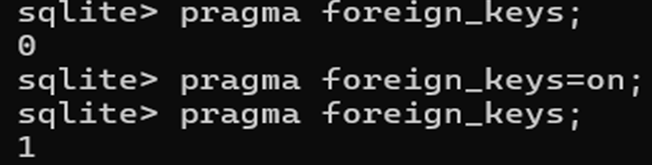
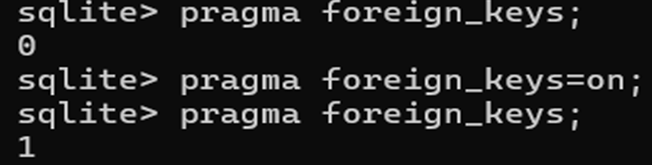
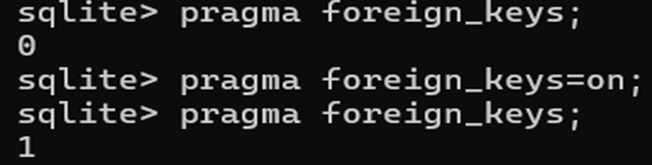
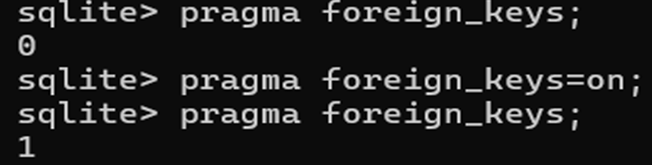
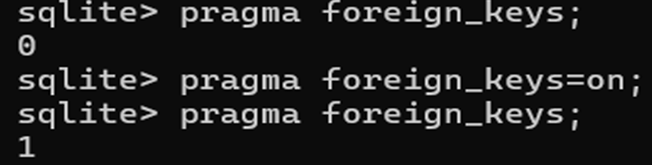
Relationships are defined using the FOREIGN KEY constraint in the CREATE TABLE statement. Foreign key constraints are disabled by default in SQLite and must be explicitly enabled for each database connection using a PRAGMA command.
To enable foreign key constraints, type the following:
PRAGMA foreign_keys = ON;
Example – 1:
CREATE TABLE STD_ADD (Rollno INT PRIMARY KEY, Name TEXT, Address TEXT);
CREATE TABLE STD_MARKS (Rollno INT, Subject TEXT, Marks INT, FOREIGN KEY(Rollno) REFERENCES STD_ADD(Rollno));
Example – 2:
CREATE TABLE Artists(ArtistId INT PRIMARY KEY, ArtistName TEXT NOT NULL);
CREATE TABLE Albums(AlbumId INT PRIMARY KEY, AlbumName TEXT NOT NULL, ArtistId INT NOT NULL, FOREIGN KEY(ArtistId) REFERENCES Artists(ArtistId));
In this example, ArtistId in the Albums table is a foreign key referencing ArtistId in the Artists table. This ensures that every album is associated with an existing artist.
Example – 3:
CREATE TABLE departments (dept_id INT PRIMARY KEY, name TEXT NOT NULL);
CREATE TABLE employees (emp_id INT PRIMARY KEY, name TEXT NOT NULL, dept_id INT, FOREIGN KEY (dept_id) REFERENCES departments (dept_id));
Practical Example:
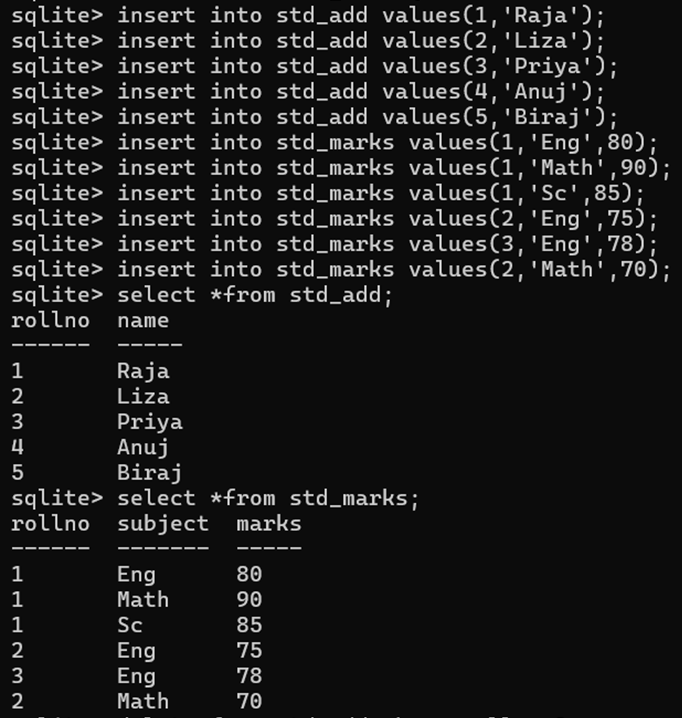
create table std_add(rollno int primary key, name text, address text);
create table std_marks(rollno int, subject text, marks int, foreign key(rollno) references std_add(rollno));
CASCADE, SET NULL, SET DEFAULT, or RESTRICT
In SQLite, CASCADE, SET NULL, SET DEFAULT, and RESTRICT are referential actions used with FOREIGN KEY constraints to determine what happens to child table records when the related parent record is modified or deleted. These actions are specified in the CREATE TABLE statement using ON DELETE or ON UPDATE clauses.
CASCADE:
The CASCADE keyword is a referential action used within a FOREIGN KEY constraint to automatically propagate DELETE or UPDATE operations from a parent table to associated rows in a child table. CASCADE is suitable when child data is entirely dependent on the parent and should be removed or updated along with it (e.g., order items linked to an order).
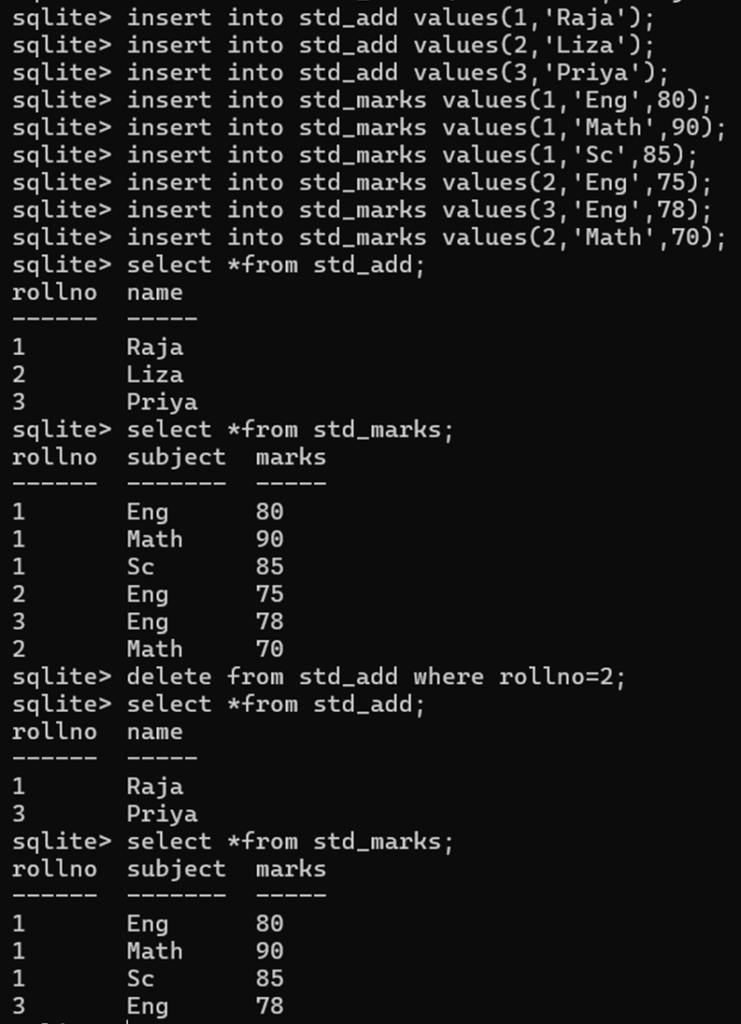
ON DELETE CASCADE:
If a parent row is deleted, all referencing child rows are also deleted.
create table std_add(rollno int primary key, name text);
create table std_marks(rollno int, subject text, marks int, foreign key(rollno) references std_add(rollno) on delete cascade);
ON UPDATE CASCADE:
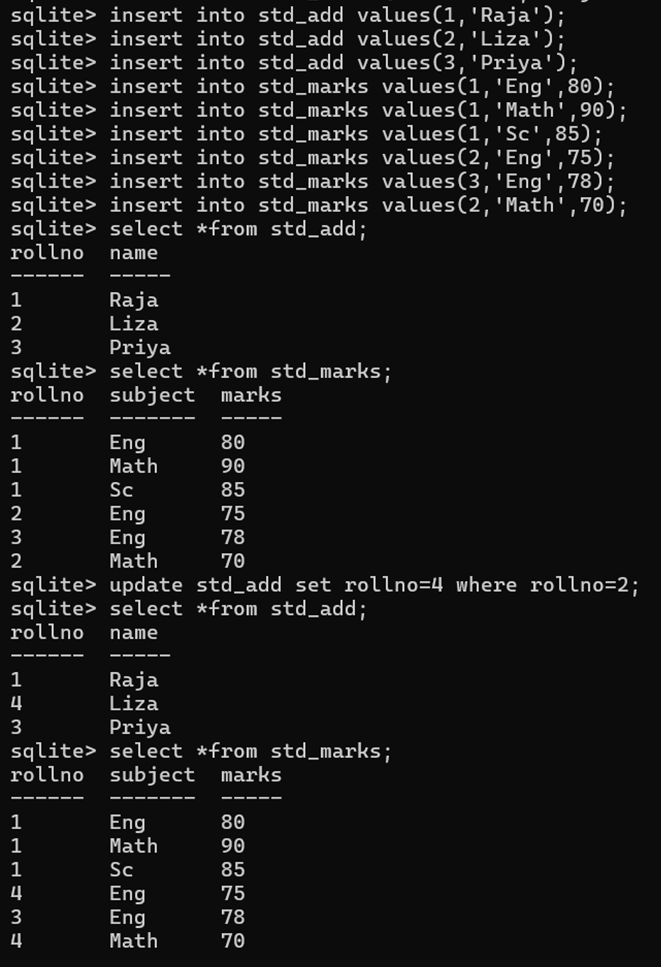
If the primary key of a parent row is updated, the corresponding foreign key values in referencing child rows are also updated to match the new parent key.
create table std_add(rollno int primary key, name text);
create table std_marks(rollno int, subject text, marks int, foreign key(rollno) references std_add(rollno) on update cascade);
SET NULL:
SET NULL is appropriate when child data can exist independently but loses its association with the parent (e.g., comments losing their author association if the author is deleted).
ON DELETE SET NULL:
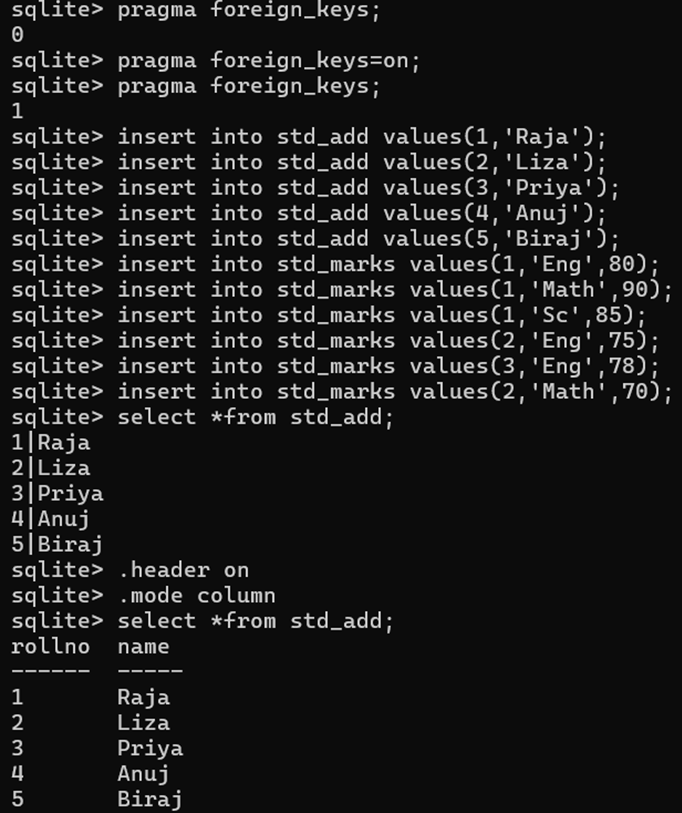
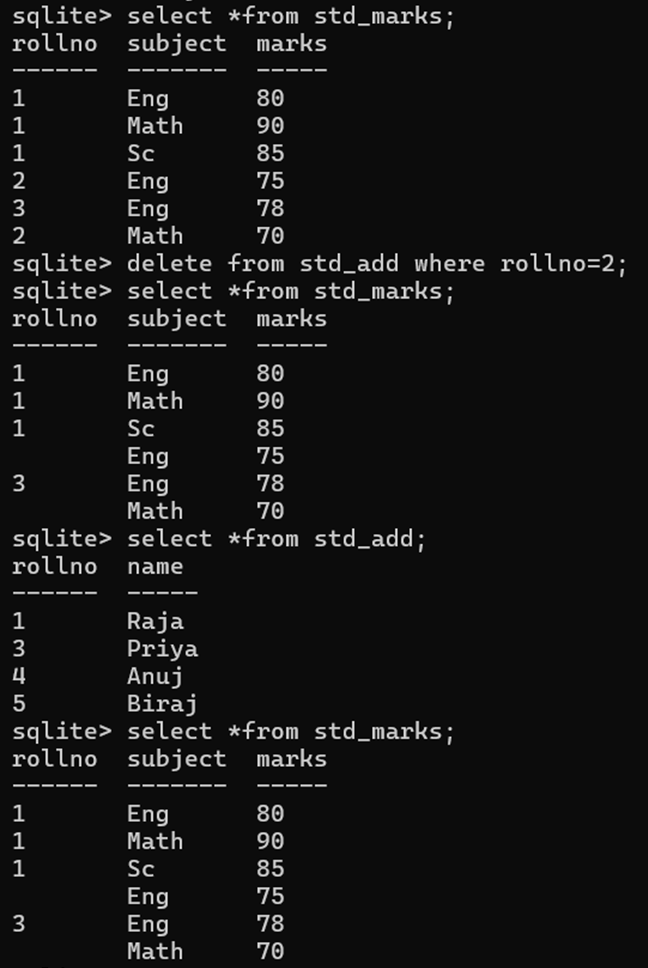
If a parent row is deleted, the foreign key values in referencing child rows are set to NULL. This requires the foreign key column in the child table to be nullable.
create table std_add(rollno int primary key, name text);
create table std_marks(rollno int, subject text, marks int, foreign key(rollno) references std_add(rollno) on delete set null);
ON UPDATE SET NULL:
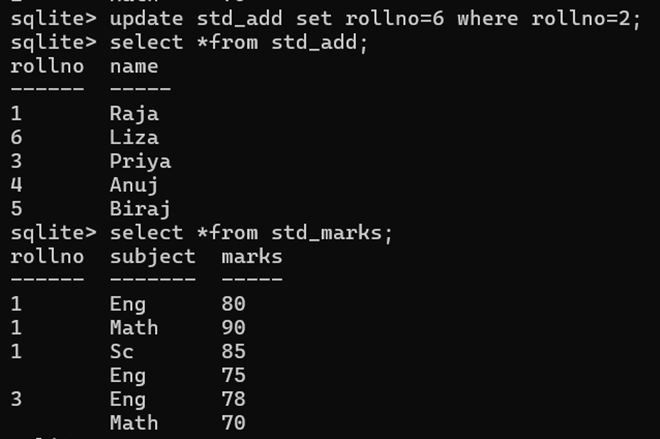
If the primary key of a parent row is updated, the corresponding foreign key values in referencing child rows are set to NULL.
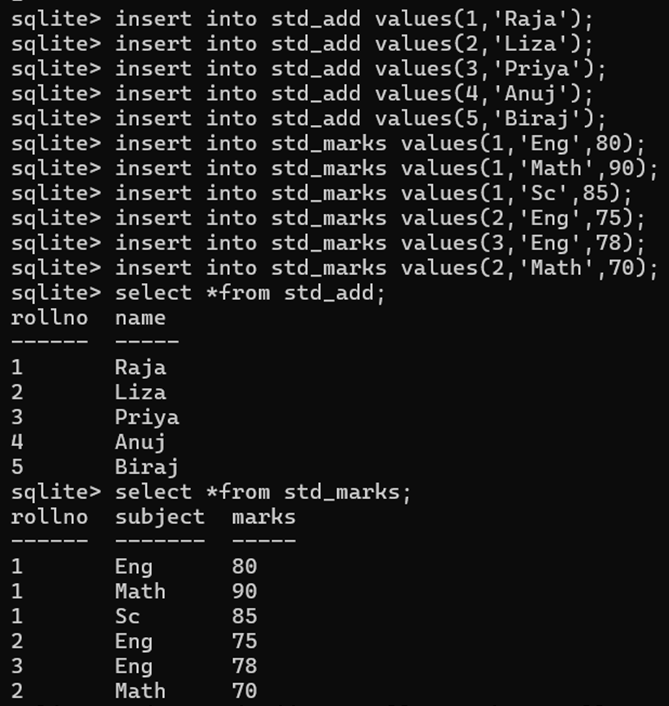
create table std_add(rollno int primary key, name text);
create table std_marks(rollno int, subject text, marks int, foreign key(rollno) references std_add(rollno) on update set null);
SET DEFAULT:
SET DEFAULT is used when child data should remain but be assigned a default parent if the original parent is removed or updated.
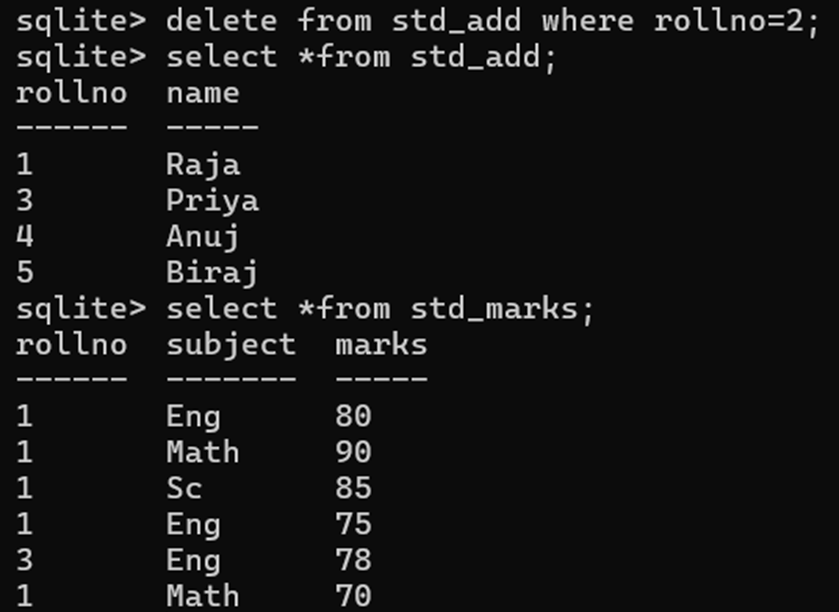
ON DELETE SET DEFAULT:
If a parent row is deleted, the foreign key values in referencing child rows are set to their defined default value. This requires a DEFAULT value to be specified for the foreign key column.
create table std_add(rollno int primary key, name text);
create table std_marks(rollno int default 1, subject text, marks int, foreign key(rollno) references std_add(rollno) on delete set default);
ON UPDATE SET DEFAULT:
If the primary key of a parent row is updated, the corresponding foreign key values in referencing child rows are set to their defined default value.
create table std_add(rollno int primary key, name text);
create table std_marks(rollno int default 1, subject text, marks int, foreign key(rollno) references std_add(rollno) on update set default);
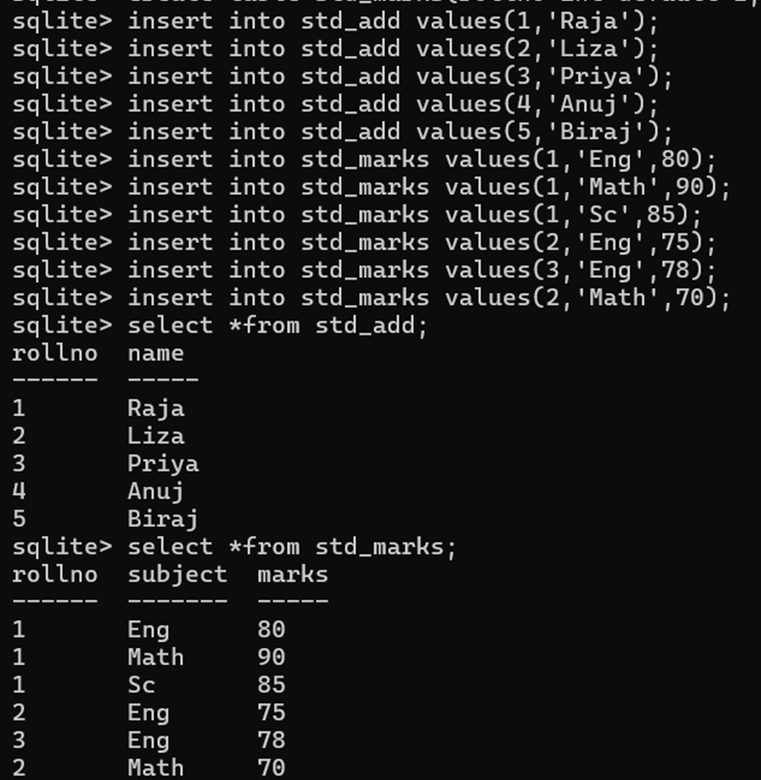
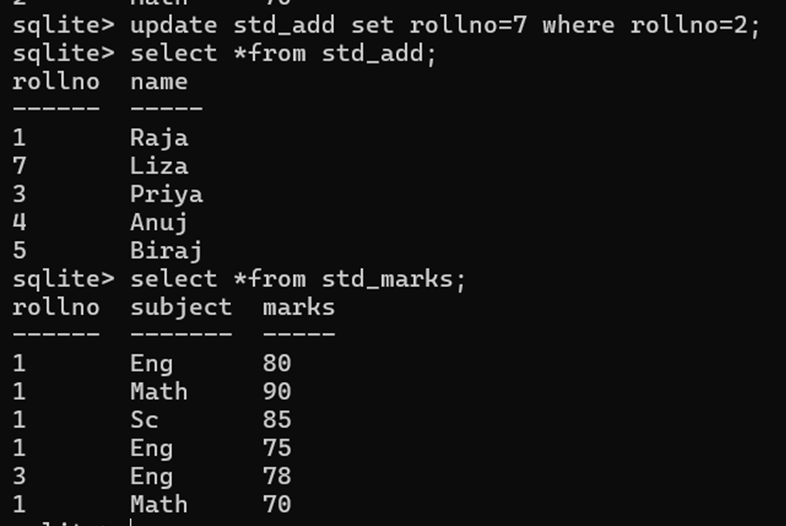
RESTRICT (or NO ACTION)
RESTRICT / NO ACTION provides the strictest control, ensuring that parent records are not modified or deleted if child records still depend on them, forcing explicit handling of the child records first.
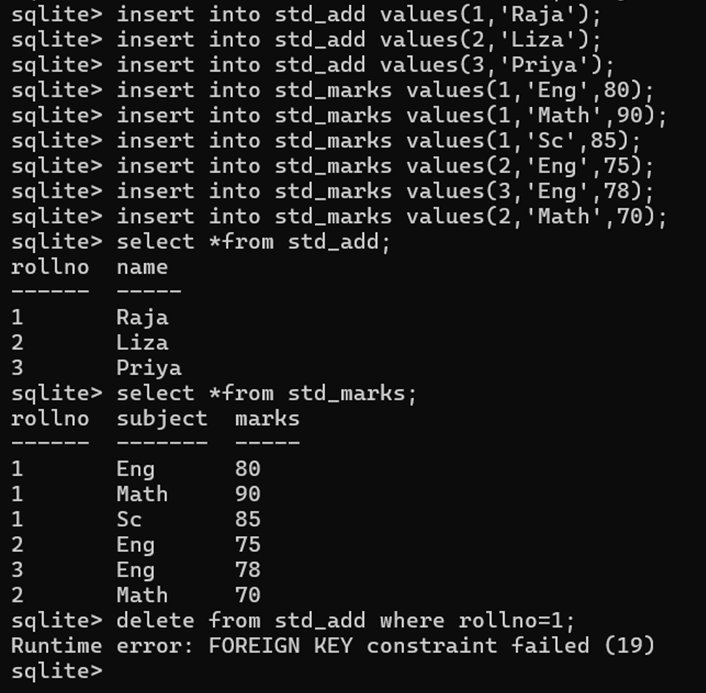
ON DELETE RESTRICT / NO ACTION:
Prevents the deletion of a parent row if there are any referencing child rows. An error will be raised. NO ACTION is typically the default behavior if no ON DELETE clause is specified.
create table std_add(rollno int primary key, name text);
create table std_marks(rollno int, subject text, marks int, foreign key(rollno) references std_add(rollno) on delete restrict);
ON UPDATE RESTRICT / NO ACTION:
Prevents the update of a parent row’s primary key if there are any referencing child rows. An error will be raised.
create table std_add(rollno int primary key, name text);
create table std_marks(rollno int, subject text, marks int, foreign key(rollno) references std_add(rollno) on update restrict);
SQLite – JOIN Statements
To retrieve data from related tables, we use JOIN operations. Once a relationship is established using Foreign Keys, we can combine data from related tables using JOIN clauses in SQL queries.
INNER JOIN:
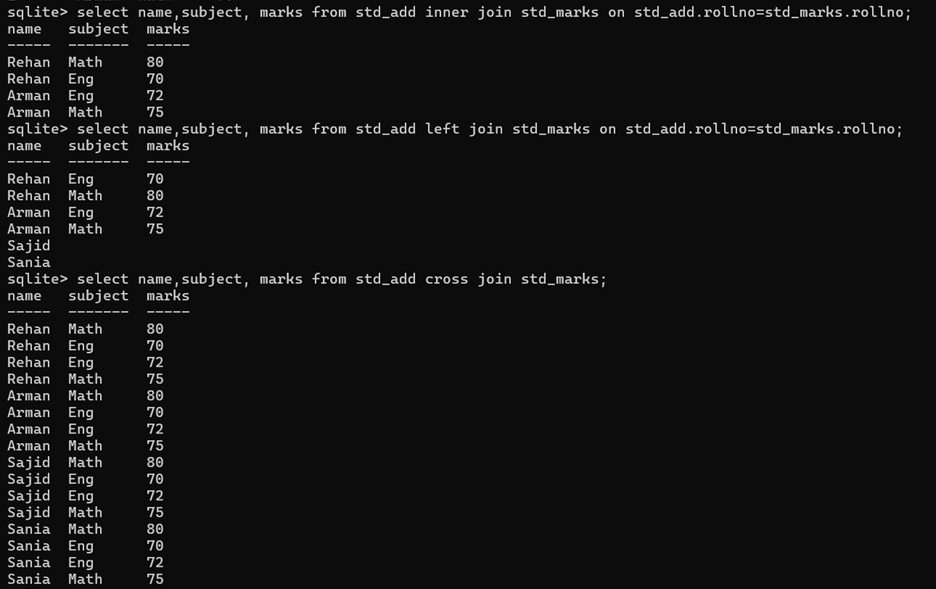
INNER JOIN: Returns only the rows where there is a match in both tables based on the join condition (typically the foreign key and primary key).
Syntax:
SELECT columns FROM table1 INNER JOIN table2 ON table1.column_name = table2.column_name;
Example:
select name, subject, marks from std_add inner join std_marks on std_add.rollno = std_marks.rollno;
LEFT JOIN (LEFT OUTER JOIN):
Returns all rows from the left (first) table, and the matching rows from the right (second) table. For rows in the left table that have no matching entry in the right table, the columns from the right table will contain NULL values in the result set.
Syntax:
SELECT columns FROM table1 LEFT JOIN table2 ON table1.column_name = table2.column_name;
OR
SELECT columns FROM table1 LEFT OUTER JOIN table2 ON table1.column_name = table2.column_name;
Example:
select name,subject, marks from std_add left join std_marks on std_add.rollno=std_marks.rollno;
CROSS JOIN:
A CROSS JOIN in SQLite combines every row of the first table with every row of the second table, producing a result set known as the Cartesian product. Unlike INNER JOIN or LEFT JOIN, it does not require a join condition (an ON or USING clause).
Syntax:
SELECT columns FROM table1 CROSS JOIN table2;
Example:
select name,subject, marks from std_add cross join std_marks;
Practical Example: